
 kevin@skalia.ca


Clay for Prospecting: What Is It and How Do You Use It?
Clay pulls together dozens of data sources into a spreadsheet to enrich and personalize your prospecting at scale. Here's what it's actually good for, what you can build with it, and who it makes sense for in 2026.
- Clay is a spreadsheet that aggregates dozens of data sources to enrich and personalize prospecting at scale.
- Its strengths: waterfall enrichment, scoring, AI-driven personalization.
- Budget $149-800/month depending on credit volume.
- Powerful but overkill for simple needs: reserve it for teams prospecting at real volume.
What Is Clay for Prospecting Actually Good For?
Clay is used to enrich and personalize prospect lists by aggregating dozens of data sources into a spreadsheet-style interface. In practice, you import a list of accounts or contacts, and Clay automatically looks up emails, phone numbers, headcount, tech stack, or buying signals, then prepares tailored messages.
The core idea: stop juggling ten different tools. Where you used to need one tool to find emails, another for phone numbers, a third for company data, Clay centralizes it all in a single table. Every column becomes an action: a lookup, an enrichment, a calculation, a call to an AI model.
That's what makes it an orchestration tool rather than a simple directory. You're not just paying for a contact database, you're building a processing pipeline that turns a raw list into a ready-to-contact file. For broader context, see our automated prospecting guide.
How Does Clay Actually Work?
Clay is built on three building blocks: a spreadsheet, waterfall enrichment, and AI. The spreadsheet looks like Google Sheets, but every column can run an automatic action across all rows. You add a "find the email" column, a "score the prospect" column, a "write the opener" column, and Clay processes the entire list.
Waterfall enrichment is the flagship feature. Instead of querying a single data provider, Clay tests several sources in an order you define. It asks provider A for the email, and if it comes up empty, moves to B, then C. The result: a much higher completion rate than any single tool, without paying for data that doesn't exist.
The third building block is built-in AI. Clay connects to language models to read a LinkedIn profile, summarize company news, or write a personalized opening line for an email. That's where the time savings become dramatic at scale.
What Can You Actually Do With Clay?
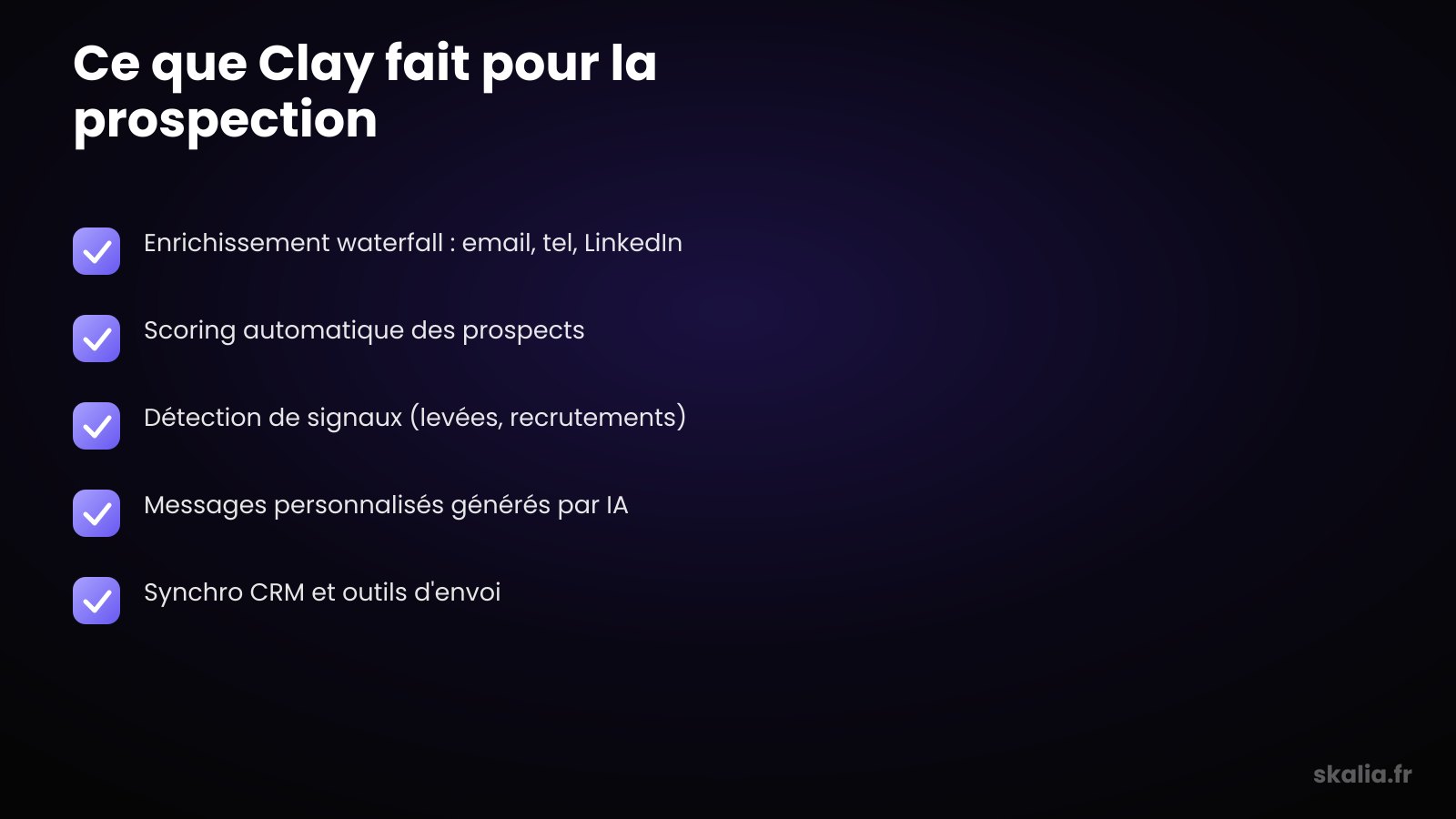
Three use cases stand out: waterfall enrichment, prospect scoring, and AI-driven personalization. These three cases cover most of why sales teams adopt the tool. The table below summarizes the most common tasks and the gain each one delivers.
| Task | What Clay Does | Gain |
|---|---|---|
| Contact enrichment | Tests multiple providers in cascade to find email and phone | Higher completion rate, fewer wasted credits |
| Prospect scoring | Scores each row against your criteria (size, sector, signals) | Automatic prioritization of hot accounts |
| Signal detection | Spots funding rounds, hiring, job changes | Contact at the right moment, better reply rate |
| AI personalization | Generates a unique opener per prospect from their data | Tailored messages with no manual writing |
| List cleaning | Deduplicates, normalizes, verifies email validity | Clean list, fewer bounces |
Scoring deserves a special mention. You define your ideal customer criteria, and Clay assigns a score to each prospect. This ties directly into signal-based selling: contact the right accounts at the right time instead of spraying wide. Once the list is enriched and scored, you push it to your sequencing tool or your AI SDR.
Who Is Clay Right For, and Who Is It Overkill For?
Clay makes sense for teams prospecting at volume, working lists of several hundred accounts a month. Hypergrowth B2B startups, lead-gen agencies, growth marketers: as soon as personalization at scale becomes a real challenge, the tool pays for itself fast.
Conversely, Clay is clearly overkill for a solo tradesperson, consultant, or small business contacting twenty prospects a week. In that case, a simple email-finder tool is more than enough. Compare the options in our roundup of the best automated prospecting tools.
The test is simple: if you spend more time copy-pasting data between tools than writing messages, Clay makes sense. If your volume fits in a manually maintained spreadsheet, keep the spreadsheet. Clay's power only pays off past a certain threshold of repetition.
What's Clay's Learning Curve Like?
Clay's learning curve is real: expect one to two weeks to get comfortable with simple tables, and longer to master waterfall enrichment and AI. The spreadsheet interface feels reassuring at first glance, but the column-as-action, condition-based logic takes some getting used to.
The real barrier isn't technical, it's conceptual. You have to think in "data flows": which source to query, in what order, under what condition. Credits burn fast when you're experimenting, so it's best to test on small lists before running a massive job.
Good news: the community and ready-made table templates speed up onboarding. Many teams delegate building the tables to a growth specialist, then run them independently afterward. That's often the best trade-off between power and time invested.
What Are the Alternatives to Clay?
Alternatives to Clay depend on your need: a contact directory, a sequencing tool, or an orchestration platform. If you mainly need reliable contact details, databases like Apollo, Lusha, or Kaspr cover the need without Clay's complexity. Our Apollo vs. Lusha vs. Kaspr comparison breaks down these options.
For sending and multichannel sequences, Clay doesn't replace a tool like lemlist or Waalaxy: it feeds them. You enrich and personalize in Clay, then export to your sending tool. See the lemlist, Waalaxy, La Growth Machine comparison.
In short, Clay sits upstream in the chain, on enrichment and orchestration. Few tools handle waterfall and AI this well combined, which explains its rapid adoption among advanced growth teams.
FAQ
How Much Does Clay Cost for Prospecting?
Clay offers a limited free plan and paid plans starting around $149/month, up to $800/month or more for high credit volumes. The actual cost mainly depends on the number of enrichments and AI calls consumed each month.
Does Clay Replace a CRM?
No. Clay isn't a CRM: it enriches and prepares your data, but doesn't manage ongoing sales follow-up. Most teams sync Clay with their CRM and sequencing tool to cover the full chain.
Do You Need to Know How to Code to Use Clay?
No, Clay is designed to be used without code. Enrichments and AI are configured through the interface. Some advanced features, like custom API calls, require technical knowledge, but 90% of use cases stay accessible without coding.
Is Clay GDPR Compliant?
Clay aggregates data from third-party sources, so compliance depends on your use and your providers. You remain responsible for the processing: legal basis, informing individuals, right to object. Our rules for GDPR-compliant cold email also apply to data sourced through Clay.
Is Clay Worth It for Your Prospecting?
Clay is a powerful accelerator, provided you have the volume and personalization needs that justify it. For a team prospecting seriously, it's a gain in time and quality that's hard to match. For a one-off need, a simpler tool will do the job.
At Skalia, we help SMBs build prospecting systems that hold up, choosing the right tools rather than the trendiest ones. Whether Clay is right for you or not, what matters is the method. Torn on your stack and approach? Check out our automated prospecting guide, then let's talk.