
 kevin@skalia.ca


Optimizing Google Ads: 6 Settings That Drain (or Save) Your Budget

Most Google Ads accounts lose money on default settings, not on strategy. Here are the 6 parameters to fix first to optimize Google Ads, with the pitfall and the correct setting for each.
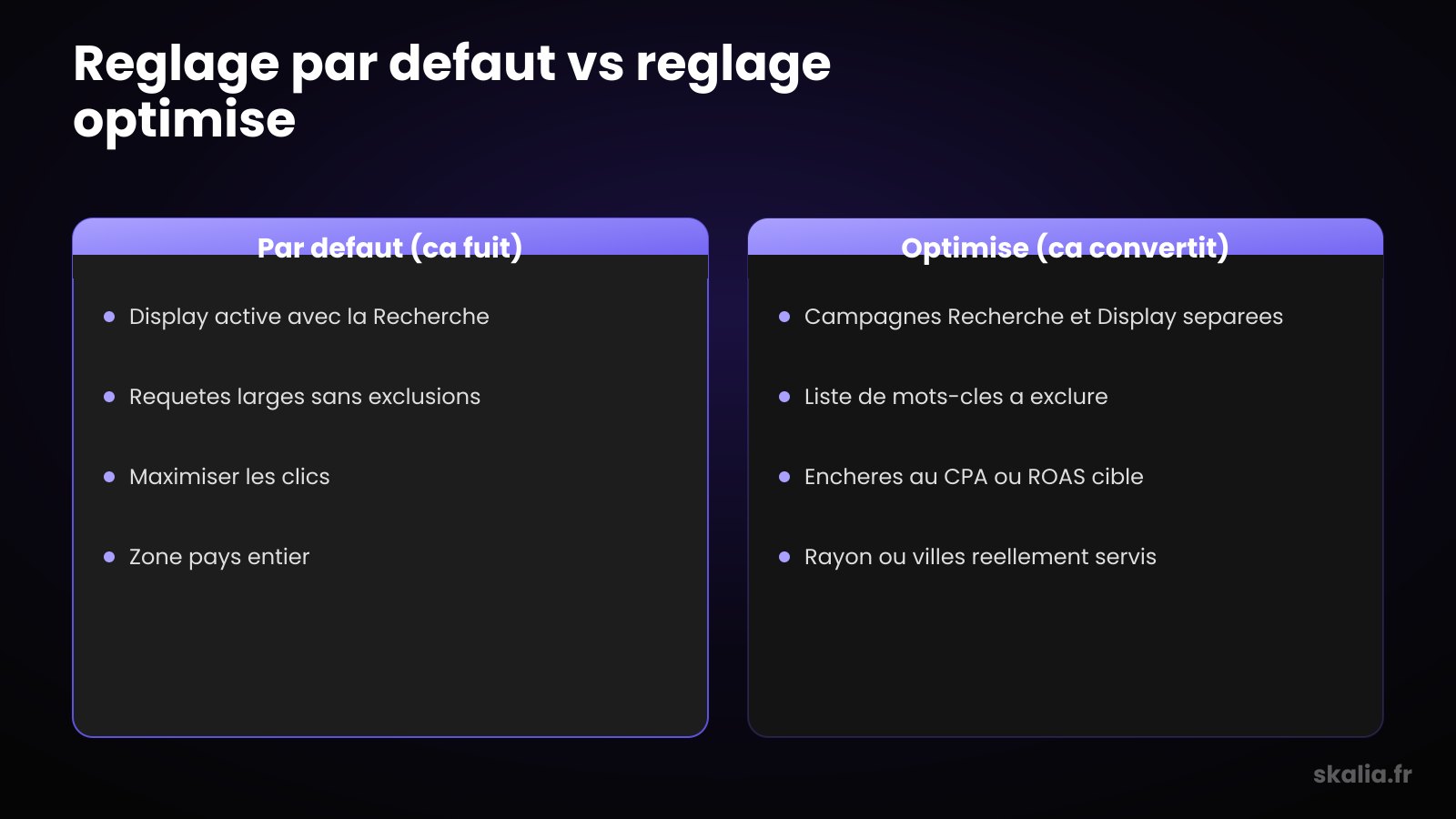
- Turn off the Display Network and Search Partners in your Search campaigns.
- Add negative keywords from launch, then every week.
- Switch to target CPA or target ROAS bidding as soon as you have conversions.
- Check that conversion tracking captures real sales, not just clicks.
Why are your Google Ads settings draining your budget?
Most of the budget wasted on Google Ads goes into settings left at their default values, not into a bad strategy. Google enables by default the options that maximize delivery — and therefore its own revenue — not necessarily your profitability. Optimizing Google Ads starts with taking back control of six specific parameters.
The problem isn't Google Ads itself. It's the campaign setup assistant that nudges you toward choices that are comfortable for the platform: extended networks, broad targeting, poorly framed automated bidding. On an SME account, these settings can absorb 30 to 50% of the budget without generating a single customer.
The good news: each of these settings can be fixed in a few minutes. Here are the six that make the difference, with the pitfall and the correct configuration for each.
Should you disable the Display Network in a Search campaign?
Yes, systematically disable the Display Network and Search partners in a Search campaign. Google checks these options by default. The result: your ads show up on third-party sites and mobile apps, with accidental clicks, a very low conversion rate, and a budget that melts away.
The Display Network follows a different logic: awareness, visuals, audience-based targeting. Mixing it with Search is like comparing apples and oranges within the same campaign. You no longer know what's actually working.
The correct setting
In the campaign settings, uncheck “Display Network” and “Include Google Search Partners.” If you're interested in Display, create a dedicated campaign, with its own budget and its own visuals. This separation is the foundation of a readable campaign structure, which also applies to Meta Ads.
How do you avoid wasting money on irrelevant queries?
Add a negative keyword list from day one, then enrich it every week. Without exclusions, a broad-match campaign shows your ads on unrelated searches: “free,” “jobs,” “reviews,” “pdf.” These clicks cost money and never convert.
The search terms report is your best tool. It shows the actual queries that triggered your ads, not just your keywords. By reviewing it every week, you spot the intruders and exclude them in two clicks.
Also watch out for match type. Broad match left unmonitored is a budget vacuum cleaner. It can work well with good tracking and smart bidding, but for starting out, exact match or modified broad match remains safer. The relevance of your keywords also feeds your Quality Score, which lowers your costs.
Which bidding strategy avoids burning through your budget?
Choose a conversion-based bid as soon as you have enough data to fuel it — otherwise you're paying for useless volume. The classic trap: leaving “Maximize clicks” turned on. This strategy chases as many clicks as possible at the lowest price, with no regard for whether they actually buy.
A click isn't a customer. “Maximize clicks” fills your reports with traffic and drains your account of results. It only makes sense on a brand-new campaign, while you accumulate data, and with a CPC cap in place.
The correct setting
Once your account logs around fifteen conversions a month, switch to “Maximize conversions” with a target CPA, or “Maximize conversion value” with a target ROAS if you track revenue. The algorithm then optimizes toward your real goals. This choice directly affects the minimum budget you need to be profitable.
| Setting | Common mistake | Fix |
|---|---|---|
| Delivery networks | Display enabled in Search | Uncheck Display and partners, dedicated campaign |
| Keywords | Broad match with no exclusions | Negative keyword list, weekly review |
| Bidding | Maximize clicks left as default | Target CPA or ROAS from 15 conversions/month |
| Conversions | Missing tracking or tracking clicks | Tag actual high-value actions |
| Geo-targeting | Entire country or “presence and interest” | Radius or served cities, “presence” only |
| Extensions | No extensions enabled | Sitelinks, callouts, call, location |
Are your conversions actually being tracked properly?
Roughly one account in two optimizes into a void because conversion tracking is misconfigured or missing altogether. Without reliable tracking, the algorithm has no signal to learn from, and you're flying blind. This is the most important setting, and the most often neglected.
Two mistakes come up repeatedly. The first: measuring nothing at all, and judging the campaign by click count alone. The second, more insidious: counting a valueless action as a “conversion” — a button click, a page visit. The algorithm then optimizes toward thin air.
The correct setting
Tag only the actions that matter: a submitted form, a triggered call, a purchase. Verify the firing with the Google Tag Assistant extension. And if you sell online, pass through the real value of each conversion, not just a “1.” Good tracking transforms how you read your real cost per lead and how you compare channels.
Is your geo-targeting too broad?
Overly broad geo-targeting shows your ads to people you can't serve, and it's a silent waste. A Toulouse-based SME targeting all of France pays for clicks in Lille or Marseille that will never become customers. The default setting favors volume, not relevance.
The sneakiest trap hides in the location options. By default, Google targets “presence or interest”: your ads also reach people who are interested in your area without being there. Someone searching for “plumber in Toulouse” from Paris will trigger your ad.
The correct setting
Target precisely the radius or the cities you actually cover. In the options, choose “Presence: people in your targeted locations” rather than the default setting. For a local business, this point ties directly into your work on visibility in Google's local pack.
Should you really enable all ad extensions?
Yes, enable every relevant extension: they make your ad larger, improve the click-through rate, and cost nothing extra. Many accounts ignore them, which wastes free real estate on the results page. An ad with no extensions looks smaller and less credible.
Extensions also give you extra entry points: a phone number, links to specific pages, a promotional callout, your address. Each element can tip the click in your favor rather than a competitor's.
The extensions to enable first
- Sitelinks: direct to your key pages (pricing, contact, services)
- Callouts: highlight your strengths (“Free quote,” “24h service”)
- Structured snippets: list your service categories
- Call: displays your phone number, valuable on mobile
- Location: shows your address for a local business
How much can you save by fixing these settings?
On a neglected account, fixing these six settings often recovers 20 to 40% of wasted budget, redirected toward what actually converts. You're not spending less: you're spending better. The same budget generates more qualified requests because it stops funding irrelevant clicks.
These settings don't replace a strategy, but they're its foundation. A solid account structure, clean tracking, and tight targeting: that's what separates a profitable campaign from a budget that evaporates. If you're still torn between platforms, our comparison Google Ads vs Meta Ads helps you decide before investing.
At Skalia, we often open an account audit with these six points: that's where the fastest savings hide. Want us to take a close look at your account? Let's talk about it.
FAQ
How long does it take to optimize a Google Ads account?
The six basic settings can be fixed in one to two hours. But ongoing optimization — reviewing search terms, adjusting bids, testing ads — happens every week. Allow a few weeks of data before judging the results of a new configuration.
Should broad match always be avoided?
No, but it requires a strict framework. With good conversion tracking, smart bidding, and a solid exclusion list, broad match can open up new opportunities. Without these safeguards, it remains the number-one source of waste on a beginner account.
Should I disable Google's automatic recommendations?
Treat them as suggestions, never as orders. Google sometimes applies its recommendations automatically if you don't disable that option. Some are useful, many push you to spend more. Uncheck automatic application and review each proposal case by case.
Do you need an agency to properly configure Google Ads?
Not necessarily for these six settings, which remain within reach of a motivated SME. An agency mainly brings consistency in monitoring and experience across dozens of accounts. The real criterion remains cost per result, not whether you manage it yourself or delegate it.