
 kevin@skalia.ca


Google Business Profile: The 2026 Optimization Guide

Your Google Business Profile listing is your storefront before the storefront: many customers decide to call you without ever visiting your website. This 2026 guide details every field to fill in and the checklist to turn your listing into a steady source of calls.
- A complete Google Business Profile listing gets roughly 7 times more clicks than an empty one.
- Fill in every field: precise category, description, hours, services, service area.
- Add at least 10 photos, one post a week, and respond to 100% of reviews.
- Check your insights once a month to adjust category, photos, and posts.
What is a Google Business Profile listing and why optimize it?
A Google Business Profile listing is your free business profile that appears on Google and Google Maps, and Google states that a complete listing is judged more credible and gets far more contacts than a partial one. It's often the first point of contact before your website.
In practice, when someone searches for “plumber in Toulouse” or “hairdresser near me,” Google first shows a map with three listings: the famous local pack. Your listing decides whether you're there or not. It brings together your name, category, hours, photos, reviews, and a direct call button.
The stakes are simple: many customers decide to call you without ever clicking through to your website. A well-kept listing is a salesperson working for free, 24/7, for your business. To understand how this all fits with the local map, see our guide to Google's local pack.
How do you create and verify your Google Business Profile listing?
Create your listing at google.com/business, then verify it: without verification, Google won't display it publicly and you won't get access to any insights. Verification takes anywhere from a few minutes to two weeks depending on the method offered.
Google offers several verification channels depending on your business: postal mail with a code, phone, text message, email, or video. Choose the fastest one available for your profile. Until the listing is verified, consider it nonexistent in the eyes of local search.
A common trap: duplicate listings. If two profiles point to the same address, Google may hide one or scramble your display. Search for your business before creating a new one, and claim the existing listing instead of opening a second one.
Which fields should you fill in first?
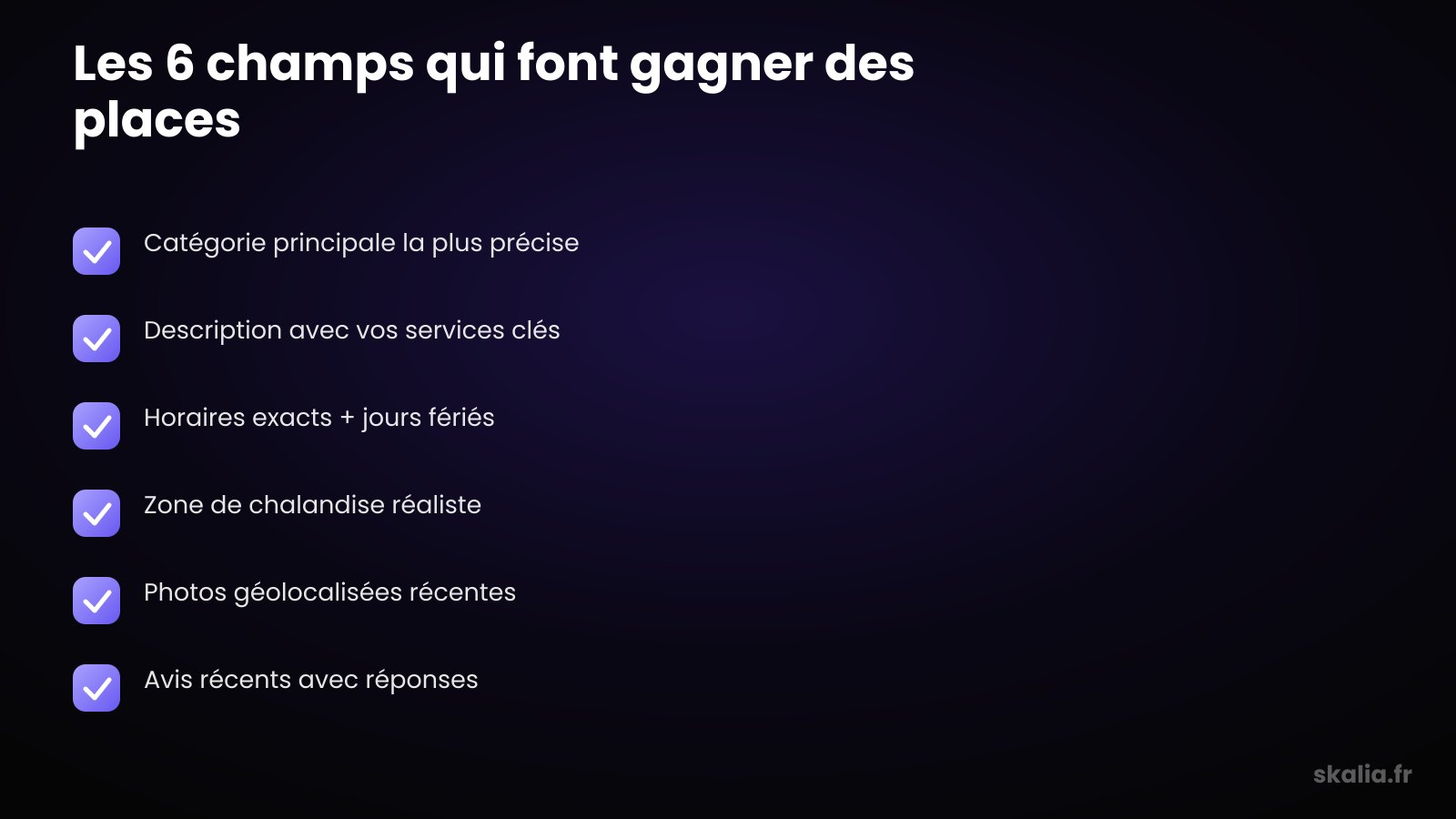
Fill in the primary category, description, hours, services, and service area first: these are the fields that weigh most heavily on the searches where you appear. A 100%-complete listing sends Google a clear signal of reliability.
Category, the most underrated setting
Your primary category tells Google which searches to show you on. An “Italian restaurant” and a “pizzeria” don't surface on the same queries. Explore the available categories — there are thousands of them — choose the most precise one, then add relevant secondary categories without overdoing it.
Description, hours, services, and service area
Write a description that naturally includes your key services and your city. Fill in exact hours, including public holidays: a customer who finds a shop closed when Google said it was open won't come back. Then detail your services one by one and define a realistic service area, not the whole country.
| Listing element | Impact | Best practice |
|---|---|---|
| Primary category | Decides which searches you appear on | As precise as possible, targeted secondary categories |
| Description | Context and keywords | Services + city, no keyword stuffing |
| Hours | Trust and conversion | Exact, with holidays kept up to date |
| Photos | Calls and direction requests | At least 10, refreshed every month |
| Reviews + replies | Ranking and reassurance | Respond to 100% of reviews, within 48 hours |
| Posts | Activity signal | At least 1 per week |
How many photos should you publish, and which ones?
Publish at least 10 photos and add more regularly: listings with photos receive noticeably more direction requests and calls than listings with no visuals. A lively listing inspires trust and signals real activity to Google.
Show your premises, your team, your work, and your products. Vary the angles and favor sharp, well-lit photos taken on-site rather than generic stock images. Rename your files with descriptive names before uploading them.
Consistency matters more than a single large batch. Two or three photos added each month beats a one-time upload that's never refreshed. To know exactly which visuals to prioritize, check our dedicated guide to Google Business listing photos.
Posts, reviews, and Q&A: how do you keep your listing active?
Publish a post every week, respond to every review, and get ahead of Q&A: these three levers, almost untouched by the competition, send Google a strong activity signal and reassure future customers at the moment they're deciding.
Publishing posts
Google Business Profile has a “posts” feature that almost nobody uses, which makes it a genuine opportunity to stand out. An offer, a piece of news, a new service: one post a week is enough to show the business is active and to occupy the visual space on your listing.
Responding to reviews
Every reply is read by future customers far more than by the reviewer. Thank satisfied customers sincerely, handle unhappy ones calmly and without over-justifying. The tone you use says a lot about how serious you are. To collect more reviews, see how to get Google reviews.
Working on Q&A and products
The Q&A section is open to everyone, including your competitors. Get ahead of it: ask the frequent questions yourself and answer them, so you control the message instead of being at its mercy. Also fill in the products or services section with prices and descriptions — it fleshes out your listing and captures precise searches.
What mistakes tank a Google Business Profile listing?
The most common mistakes that tank a listing are inconsistent contact details and neglect: a different address or phone number across your website, your listing, and directories blurs the signal Google uses to rank you.
Here are the traps to fix first:
- Business name padded with keywords: Google can suspend the listing.
- Hours never updated, especially for public holidays.
- Duplicate listings at the same address.
- Category too broad or off-topic.
- Zero responses to reviews, including negative ones.
- A listing created, then abandoned for months.
A suspended listing disappears overnight, taking your calls and your local pack ranking with it. A listing maintained a little each week beats a perfect overhaul once every two years. Consistency is the real secret of local SEO.
How do you track your listing's insights?
Check your insights once a month: your listing tells you how people find you, what they do next, and which searches bring you traffic. This data is gold for adjusting category, photos, and posts instead of flying blind.
Focus on three metrics in particular: the searches that trigger your listing, the number of calls and direction requests, and the month-over-month trend. If a search query brings you traffic, reinforce it in your description and services. If calls drop, check your recent photos and reviews.
An optimized listing is a salesperson working for free, 24/7, on behalf of your business.
Set yourself a monthly fifteen-minute check-in. It's not much, but it's what separates a listing that stagnates from one that keeps climbing in the local pack month after month.
FAQ
Is a Google Business Profile listing free?
Yes, creating, verifying, and managing a Google Business Profile listing is entirely free. Google charges nothing for appearing in Maps or in the local pack. The only potential costs are those of a provider who optimizes the listing for you, or a separate ad campaign.
How long does it take to see results?
Generally expect a few weeks to three months to see progress, depending on your local competition and the listing's starting state. A brand-new, well-filled listing climbs faster than an old, poorly maintained one. Consistent posts, photos, and reviews significantly speed up the process.
Can I manage several locations on the same account?
Yes, a single Google Business Profile account can manage several listings, one per physical location. Each address must correspond to a real place where you welcome or serve customers. Avoid creating fictitious listings to cover neighboring cities — Google detects and suspends them.
Do I need a website to have a listing?
No, a Google Business Profile listing works without a website and can generate calls on its own. That said, a website strengthens your credibility, including contact-detail consistency, and opens up other visibility levers. The listing and the website feed off each other.
Want a listing that actually brings in customers?
Optimizing a Google Business Profile listing takes few resources but a lot of consistency, and that's often where it stalls for a busy small or medium business. At Skalia, we set up the listing, structure the categories, organize photos and reviews, then track the insights month after month. If you'd like to delegate this work in Toulouse, check out our approach as a local SEO agency in Toulouse. Let's talk about it.