
 kevin@skalia.ca

Automated Prospecting: The Complete 2026 Guide (LinkedIn + Email + AI)
Automated prospecting means handing your LinkedIn and email outreach over to a system (software + AI): targeting, personalization, sending, and follow-ups all happen without manual effort, at the scale of hundreds of decision-makers per month. Here's exactly how it works, what it really costs, and the pitfalls to avoid in 2026.
- A complete system reaches out to 400-1,000 targeted decision-makers per month while you keep working.
- Budget: €100-300/month solo (tools + your time) or €500-2,000/month through an agency.
- First meetings within 2-3 weeks, full cruising speed within 4-8 weeks.
- Multichannel LinkedIn + email outperforms any single channel.
What Is Automated Prospecting?
Automated prospecting is a system that identifies your ideal customers, sends them personalized messages on LinkedIn and via email, and manages the follow-ups, all without manual intervention. You only step back in once a prospect replies and shows genuine interest.
In practice, where a sales rep spends 2-3 hours a day sourcing contacts, writing messages, and following up, an automated system runs these tasks continuously, at a scale of 400-1,000 prospects per month. AI has changed the game on one specific point: personalization. Messages are no longer generic templates; they adapt to each prospect's industry, role, and recent news.
This approach is aimed primarily at B2B: freelancers, agencies, SMEs, and manufacturers selling products or services to other businesses with an average deal size high enough (above €500) to make each meeting worthwhile. This is exactly the system we deploy at Skalia with our AI-powered automated prospecting offer.
Why Automate Your Prospecting in 2026?
Because manual prospecting no longer scales. Three numbers sum up the problem.
- It takes an average of 8 attempts to reach a prospect (Rain Group study). Nobody follows up 8 times by hand across 300 prospects.
- Fewer than 9% of prospecting emails get a reply (Backlinko study of 12 million emails). Without volume or personalization, the channel produces nothing.
- According to LinkedIn, a message sent on the platform gets on average 3x more replies than an equivalent cold email. Ignoring LinkedIn in B2B means leaving the best-performing channel to your competitors.
Automation addresses all three points at once: it keeps up the follow-up cadence, produces the necessary volume, and personalizes every message. Your time is freed up for the one step that truly requires a human: the conversation with an interested prospect.
How Does an Automated Prospecting System Work?
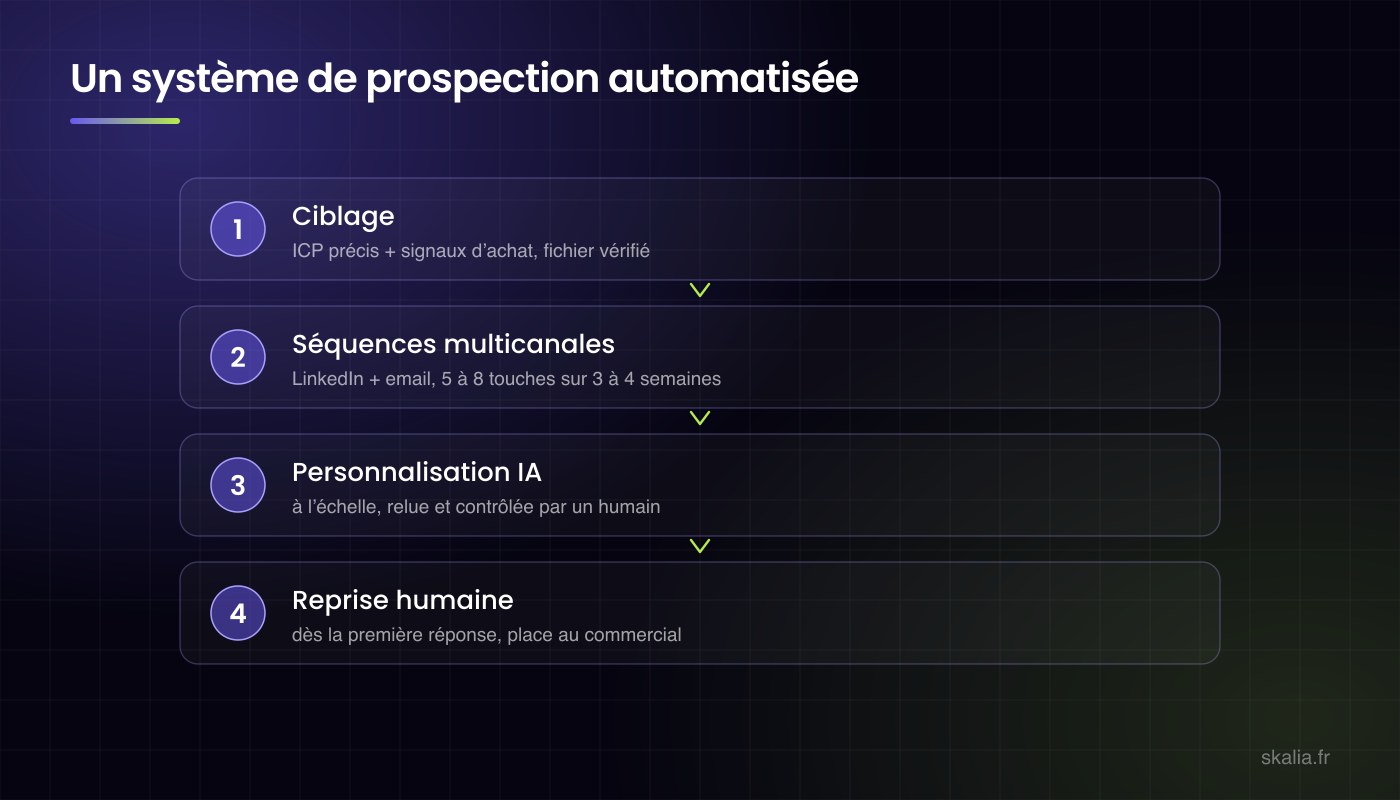
A complete system runs through five steps, always in the same order.
- Step 1, targeting: building a database of decision-makers matching your ideal customer profile (industry, role, company size, location), typically via LinkedIn Sales Navigator and enrichment tools.
- Step 2, copywriting: writing short, personalized message sequences designed to open a conversation, not to sell in the first line.
- Step 3, multichannel outreach: messages go out automatically on LinkedIn and by email, at a pace calibrated to protect your accounts (daily quotas, time windows, randomized delays).
- Step 4, follow-ups: silent prospects receive 2-4 spaced-out follow-ups, where the majority of replies are won.
- Step 5, human handoff: as soon as a prospect responds positively, they exit the automated sequences and you take over to qualify and close.
We break down the mechanics channel by channel in our dedicated guides on LinkedIn prospecting and cold email.
LinkedIn, Email, or Multichannel: Which Should You Choose?
The short answer: multichannel wins almost every time, because it multiplies touchpoints without multiplying your workload. Here's how the three options compare.
| Criteria | LinkedIn only | Cold email only | Multichannel LinkedIn + email |
|---|---|---|---|
| Realistic monthly volume | 300-400 prospects | 1,000-2,000 prospects | 800-1,200 prospects |
| Observed reply rate | 10-25% | 1-5% | 15-30% |
| Setup cost | Low | Medium (domain + warm-up) | Medium |
| Time to first leads | 1-2 weeks | 3-4 weeks (domain warm-up) | 2-3 weeks |
| Best for | Highly active LinkedIn audiences | High volumes, process-driven targets | Most B2B SMEs |
LinkedIn excels at conversation quality, email at volume. Combined, each channel catches the prospects the other one missed: a decision-maker who ignores InMails might read your email, and vice versa.
What Does a Typical 4-Week Multichannel Sequence Look Like?
An effective sequence runs through 6-8 touchpoints over 3-4 weeks: LinkedIn opens the relationship, email takes over for persistence, and each touch brings a new angle. Here's a typical timeline, to adapt to your target.
- Day 1, LinkedIn profile visit: the prospect sees your name appear in their notifications. No message: it's simply a familiarity touchpoint before the first contact.
- Day 2, connection request: no note, or a neutral line that doesn't sell anything. A request with no sales pitch gets accepted more often than a disguised pitch.
- Day 5, first LinkedIn message (if the invitation is accepted): a short question about a concrete problem the prospect faces. The goal is to get a reply, not to book a meeting.
- Day 9, first email: it reaches prospects who didn't accept the invitation or didn't reply. The angle should differ from the LinkedIn message, never a copy-paste.
- Day 12, second LinkedIn message: a short follow-up that brings something new, a stat, a client example, or a useful resource, rather than a plain "did you see my message?"
- Day 16, second email: the follow-up leans on concrete proof, a result achieved with a comparable client or a use case from the prospect's industry.
- Day 21-24, closing email: you announce you won't follow up again, while leaving the door open. This last message triggers a surprising share of replies, from prospects who were interested but swamped.
Why Does This Exact Order Work?
Because it follows two field-tested rules. First, variation: a prospect who didn't react to one angle won't respond to the same angle repeated, so every touch must bring new information. Second, caution: the pace stays under the platform's quotas, meaning a maximum of 20-30 invitations per day, as detailed in our guide on LinkedIn daily message limits. One last, non-negotiable point: the moment a prospect replies, even negatively, they immediately exit the sequence. Nothing destroys your credibility faster than an automated follow-up sent after a human reply.
Which Tools Should You Use to Automate Prospecting?
A complete system generally combines three building blocks: a data source, an automation tool, and an email inbox prepared for volume sending.
| Component | Role | Price range |
|---|---|---|
| LinkedIn Sales Navigator | Targeting and searching for decision-makers | €80-100/month |
| Automation tool (La Growth Machine, Lemlist, Waalaxy...) | Sequences, sending, multichannel follow-ups | €50-150/month |
| Contact enrichment (Apollo, Kaspr, Lusha...) | Finding verified professional emails | €0-100/month |
| Sending domain + email warm-up | Protecting your email deliverability | €10-30/month |
The exact choice depends on your target and volume. What matters most: the tool only accounts for 20% of the result, targeting and copywriting make up the other 80%. A great tool with a bad message produces zero meetings.
How Much Does Automated Prospecting Cost?
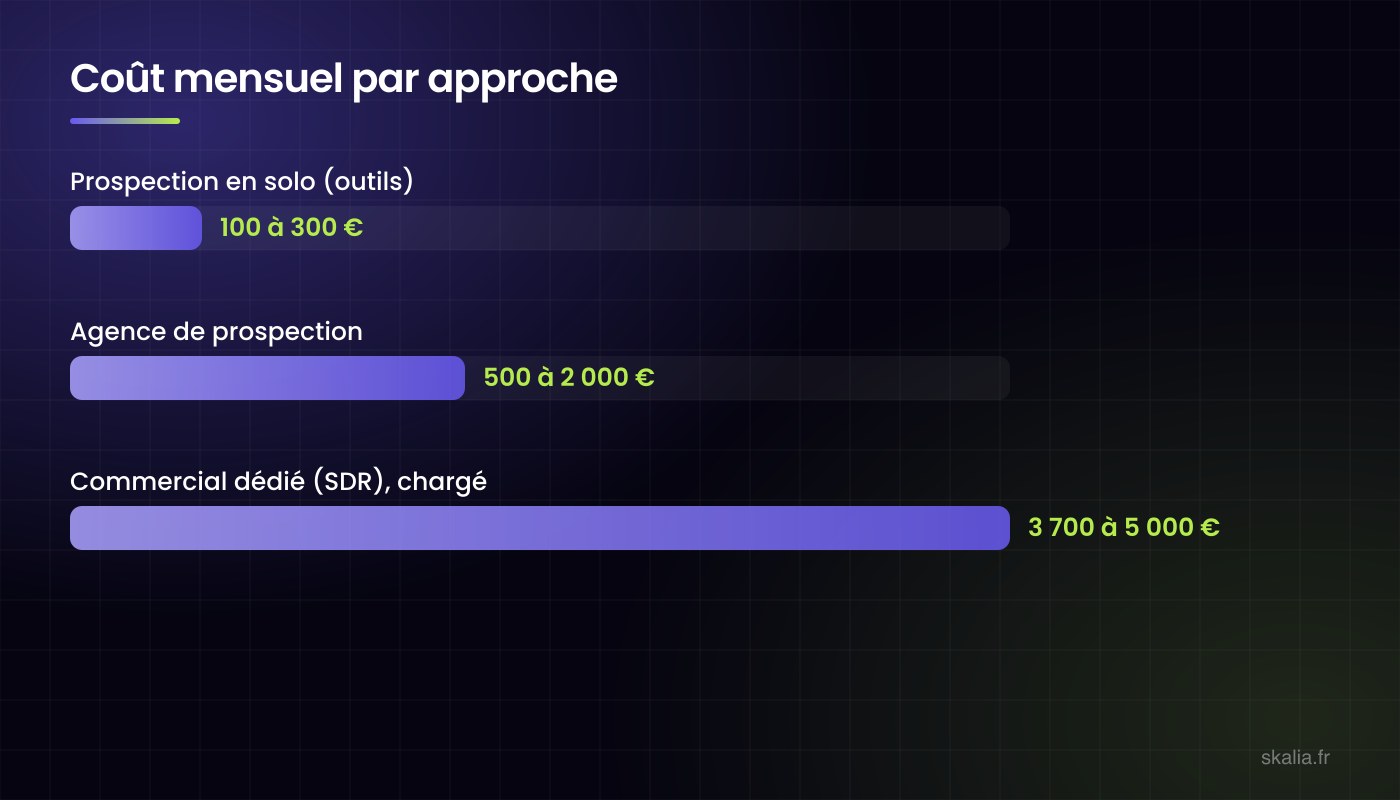
Three scenarios cover nearly every situation. The ranges below reflect the orders of magnitude observed on the French market in 2026.
| Option | Monthly cost | What's included | Your time |
|---|---|---|---|
| Solo with tools | €100-300 | Software licenses only | 5-10 hrs/week |
| Specialized agency | €500-2,000 | Targeting, copywriting, sending, follow-ups, reporting | 1-2 hrs/week |
| Dedicated sales rep (SDR) | €3,700-5,000 (fully loaded) | A full-time human, prospecting + qualification | Management |
The real cost of the solo scenario is hidden in your time: 5-10 hours a week learning the tools, writing sequences, and handling replies. We break down the full calculation in our article on how much lead generation costs, and the in-house vs. agency comparison in in-house SDR or prospecting agency.
How Many Leads Can You Expect?
An honest benchmark from our own campaigns: for every 1,000 prospects contacted multichannel, expect a 30-60% open rate, 5-15% reply rate, meaning 20-40 engaged conversations and 5-15 qualified meetings per month, depending on your industry and offer.
These numbers vary significantly based on three factors: targeting precision (a broad, fuzzy list cuts results in half), message quality (an opening line focused on the prospect rather than on you changes everything), and how well-known your offer already is in its market. Be wary of guaranteed volume promises: nobody controls a market's reply rate. We publish our detailed benchmarks by scenario in how many leads to expect from a LinkedIn campaign.
How Do You Use Buying Signals to Contact the Right Companies at the Right Time?
A buying signal is an observable event indicating a company likely has an active need: prioritizing accounts that show one noticeably increases your reply rates compared to a cold list, message quality being equal.
Which Signals Should You Prioritize?
- Hiring: a company posting job openings for sales or marketing roles is investing in growth, and its leadership is receptive to solutions that accelerate that growth.
- Funding rounds: available budget and investor pressure to deliver quick results. The favorable window lasts 3-6 months after the announcement.
- Role changes: a decision-maker in their role for less than 90 days is looking for quick wins and re-evaluating existing vendors. This is when they're listening.
- Website visits: intent-detection tools reveal which companies browse your pages without filling out a form. An account visiting your pricing page deserves outreach within the week.
- LinkedIn activity: a decision-maker who posts or comments on your topic is active on the channel, and therefore more likely to reply to a message that builds on what they said.
How Do You Put These Signals to Work in Practice?
Segment your database into two tiers. Tier 1 groups accounts showing at least one signal less than 90 days old: they move to the top of your sequences, with an opening message that mentions the context naturally, without feeling like surveillance. Tier 2 groups the rest of your target audience, handled with the sequence's standard messages. Sales Navigator natively surfaces several of these signals: role changes, company news, headcount growth. Keep some perspective, though: a signal increases the likelihood of a need, it doesn't guarantee it. It's there to prioritize your prospecting queue, not to replace the targeting work.
Which Mistakes Kill an Automated Prospecting Campaign?
The same mistakes show up in the vast majority of failed campaigns.
- Targeting too broadly: "all SME executives" isn't a target, it's a directory.
- Selling in the first message: the goal of the first touch is to get a reply, not a signature.
- Ignoring platform quotas: exceeding LinkedIn's limits exposes your account to restrictions.
- Sending emails without warming up the domain first: your messages end up in spam and your domain gets penalized long-term.
- Giving up after one follow-up: most replies come between the 2nd and 4th follow-up.
- Letting automation reply to prospects: the moment a human replies, a human must take over.
How Do You Fix Targeting That's Too Broad?
Narrow your segment until you can describe the target's exact problem in one sentence. A list of 300 homogeneous prospects (same industry, same size, same role) generates more meetings than a list of 3,000 mixed contacts, because the message can finally speak to the recipient's actual day-to-day. Simple test: if your message could be sent to any company, your targeting is too broad.
What Should You Do If Your Messages Get No Replies?
Diagnose before changing everything. A connection acceptance rate below 25% points to a profile or targeting problem; plenty of acceptances but no replies points to a messaging problem. In the latter case, rewrite only the opening line and the closing question, then test on 100 prospects before rolling it out further. We break down this diagnosis in why your LinkedIn messages get no replies, and our reply rate benchmarks help you gauge your results: 10-25% replies on LinkedIn and 1-5% on cold email are healthy ranges.
How Do You Protect Your LinkedIn Account and Email Domain?
Two precautions prevent nearly all incidents. On LinkedIn: stay under 20-30 invitations a day, spread sends across business hours, and withdraw pending invitations every month. On email: warm up any new domain for 3-4 weeks before your first campaign, send from a secondary domain rather than your main one, and monitor your bounce rate: above 5%, stop sending and clean up the list.
Is Automated Prospecting Legal?
Yes, in B2B and under certain conditions. In France, the CNIL (the data protection authority) allows email prospecting to professionals without prior consent, under three conditions: the message must relate to the recipient's professional role, it must clearly identify itself as a solicitation, and it must offer a simple way to opt out of future outreach. On LinkedIn, prospecting is native to the platform; the constraint is compliance with its terms of use and its quotas. B2C is governed by much stricter rules (opt-in required): automated prospecting as described here is a B2B approach.
Should You Manage Your Prospecting Yourself or Outsource It?
The right question isn't the sticker price, it's the cost per meeting obtained, your time included. Managing it yourself makes sense if you have the time, a single well-known target, and the appetite to learn the tools. Outsourcing makes sense as soon as your hourly rate is worth more than the cost of the service, or you've already tried it alone without repeatable results.
When choosing a provider, three criteria make the difference: transparency about volumes and rates (be wary of results guarantees), data ownership (the prospect database built should belong to you), and genuine copywriting work rather than recycled templates. Our comparison of service models is detailed in B2B prospecting agency: how to choose.
At Skalia, our AI-powered automated prospecting offer comes as a LinkedIn-only or multichannel LinkedIn + email plan, database included, with first leads within 2-3 weeks, on a simple, no-surprise quote. You can request a free audit of your prospecting potential, with a reply within 24 hours.
Key Takeaways
- Automated prospecting runs targeting, messaging, and follow-ups at the scale of hundreds of decision-makers per month; a human steps back in as soon as a conversation starts.
- Multichannel LinkedIn + email outperforms any single channel: 15-30% observed reply rate versus 1-5% for email alone.
- Budget: €100-300/month solo (plus 5-10 hours of your week), €500-2,000/month with an agency, €3,700/month and up for a salaried SDR.
- Results arrive within 2-3 weeks and stabilize within 4-8 weeks; any promise of guaranteed volume should raise a red flag.
- Legal in B2B: solicitation tied to the recipient's role, clear identification, and a simple opt-out (CNIL framework).
FAQ: Automated Prospecting
What's the Difference Between Automated Prospecting and Marketing Automation?
Automated prospecting reaches out to prospects who don't know you yet (outbound), via LinkedIn and email. Marketing automation nurtures contacts you've already captured (newsletters, post-download sequences). The two complement each other but don't replace one another.
How Long Before You See Results?
The first replies arrive within the first week, the first qualified meetings within 2-3 weeks. Cruising speed sets in within 4-8 weeks, the time needed to optimize messages based on early data.
How Many LinkedIn Messages Can You Send per Day Without Risk?
Caps evolve, but the safe order of magnitude in 2026 sits around 20-30 invitations and 30-50 messages per day, spread across the day. Reputable tools respect these quotas natively.
Does Automated Prospecting Work for B2C?
No, it's designed for B2B. In B2C, email prospecting requires prior consent (opt-in) and LinkedIn isn't a relevant channel. To reach individual consumers, paid advertising is the right approach.
Do You Need a LinkedIn Premium or Sales Navigator Account?
Sales Navigator (around €100/month) is strongly recommended: its search filters are the foundation of good targeting. A free account severely limits volume and precision.
Can You Automate Everything, All the Way to the Sale?
No, and that's a good thing. Automation excels at opening conversations at scale; fine qualification and closing remain human tasks. Systems that claim to sell without human involvement produce low-quality meetings.
Article written by Kevin Sazarin, Growth Marketer and founder of Skalia, an acquisition agency based in Toulouse, France. Over 10 years of experience in B2B lead generation.