
 kevin@skalia.ca


How to Appear on Google Maps (and Rank Well) in 2026

To appear on Google Maps, you first need a Google Business Profile that's created and verified. From there, your ranking depends on three specific factors. Here's how to check both boxes, with the concrete levers to pull in 2026.
- To appear on Google Maps, create and verify your Google Business Profile — it's the entry requirement.
- Ranking then depends on 3 factors: relevance, distance, prominence.
- Concrete levers: the right category, regular reviews, consistent NAP, photos, activity, a local website.
- If you're not showing up, it's usually an unverified listing, being outside the search area, or heavy local competition.
How do you appear on Google Maps?
To appear on Google Maps, you need to create a Google Business Profile and get it verified — without that, there's no chance of being shown. It's the entry requirement, free and non-negotiable. Once your listing is verified, your position in the results then depends on three factors that Google combines.
You can set up the listing in a few minutes at google.com/business. You'll enter the exact business name, the address (or service area for mobile businesses), the phone number, the website, and the business category. Google then sends you a verification code — by mail, text, call, or video, depending on your situation.
Until that verification is complete, your listing exists but stays invisible to your customers. It's the number one mistake behind businesses that "don't show up" on Maps.
What are Google Maps' 3 ranking factors?
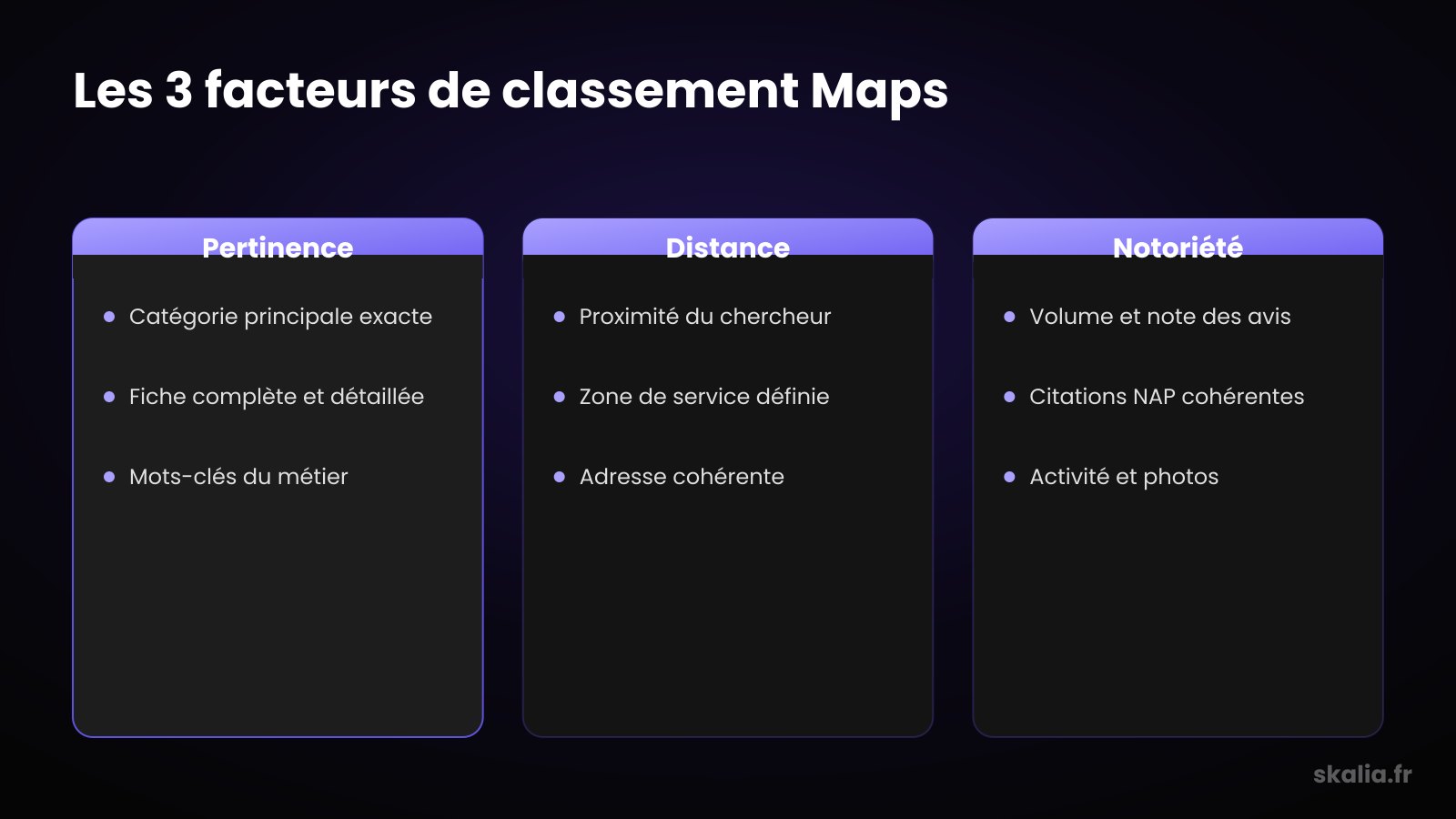
Google ranks listings using three official factors: relevance, distance, and prominence. They're documented in the Google Business Profile help center. None of them work alone — it's their combination that decides whether you land at the top of the local pack or three pages further down.
**Relevance** measures how well your listing matches the search. A precise primary category and a complete profile carry a lot of weight here. **Distance** compares your location to the searcher's position or the area they're targeting. **Prominence** reflects your reputation: reviews, mentions of your business across the web, and consistency of your contact details.
You can't move your storefront, but you can act on relevance and prominence. That's where 80% of the work happens.
| Factor | What matters | Priority action |
|---|---|---|
| Relevance | Category and listing that match the search | Choose the right primary category, fill in every field |
| Distance | Proximity between you and the searcher | Precisely define your service area and an exact address |
| Prominence | Online reputation and data consistency | Collect reviews, align your NAP everywhere, post regularly |
How do you choose the right categories and fill out your listing?
The primary category is the single most powerful relevance lever: it needs to describe your exact trade, not an approximation. "Plumber" and "Plumbing company" don't send the same signal. Then add a few relevant secondary categories, without overdoing it.
Next, fill in every available field. A 100%-complete profile outperforms a half-empty one: description, precise hours, service area, detailed services, products, attributes (accessibility, payment methods, etc.). Every piece of information you add helps Google understand when to show you.
Write your description using the words your customers actually type. Stay factual, list your services and your city. To go further on field-by-field optimization, check out our complete Google Business Profile guide.
Why do reviews and NAP matter so much?
Reviews and the consistency of your contact details (NAP) are two pillars of prominence — and therefore of ranking. NAP stands for Name, Address, Phone: your business name, address, and phone number. Google cross-references this data across the web to confirm you're a real, trustworthy business.
An inconsistent NAP — an address written differently from one directory to another, an old phone number still floating around — muddies the signal and works against you. Check that your contact details are identical on your website, your social profiles, and local directories.
On the review side, volume, average rating, and consistency all play a role. Replying to every review, positive or negative, strengthens the signal. We break down the methods that work in our article on how to get more Google reviews.
What other levers can you pull to rank better?
Beyond the listing itself, a local website, regular photos, and ongoing activity all boost your ranking. Google favors listings that feel alive: those that post updates, add photos, and get interactions send a continuous prominence signal.
- **A local website**: a page that mentions your city and your services strengthens relevance and serves as proof you exist.
- **Fresh photos**: your premises, your team, your work. Listings with recent photos capture more clicks and direction requests.
- **Google Posts**: offers, news, events. They show the listing is active.
- **Local citations**: being listed in reputable directories with an identical NAP reinforces prominence.
These levers are part of a broader strategy: our article on local SEO and the Google local pack puts it all in perspective.
Why aren't you appearing on Google Maps?
If you're not appearing on Google Maps, the most common cause is an unverified or suspended listing. Next comes a location issue: you're searching from somewhere too far from your address, or your service area is poorly defined. Finally, dense competition can push you further down.
Start by checking your listing's status in Google Business Profile. A listing that's "pending verification" or flagged as a duplicate won't show up. Also make sure there aren't two listings for the same business — a classic case that splits your signals.
Finally, watch out for your own location when searching. Looking up your business from home, far from your premises, skews your perception. Test from different points within your area, or use a rank-tracking tool. To lay solid groundwork, revisit the fundamentals of local SEO in Toulouse.
How do you track your Google Maps ranking?
Track your ranking using the stats built into Google Business Profile and location-based rank tracking. The listing's insights show how many people found you, through which searches, and how many clicked, called, or requested directions. That's your first dashboard.
For finer tracking, geo-grid tools show your actual position from multiple points across a city. Useful, because the same keyword can rank you 2nd downtown and 15th on the outskirts. You then see exactly where to focus your efforts.
Set a monthly rhythm: reviews gained, rating trend, calls generated, rankings by neighborhood. Maps ranking is built over time, not in a week.
FAQ
Do I need a physical address to appear on Google Maps?
No, not always. Businesses that travel to their customers (tradespeople, home services) can create a "service area" listing without displaying an address. You then define the cities or areas you cover. An address is still needed for verification, but it can stay hidden.
How long does it take to appear after creating a listing?
Once verified, the listing becomes visible within a few days. Ranking well, however, takes longer: several weeks to a few months depending on local competition and how consistently you gather reviews, photos, and citations. Consistency matters more than speed.
Is appearing on Google Maps really free?
Yes. Creating, verifying, and managing a Google Business Profile is 100% free. Google doesn't charge anything to be present on Maps. Any costs come from outside help or local advertising, never from the listing itself.
Are reviews enough to move me up the ranking?
No, reviews carry weight but they don't do it alone. They feed the prominence factor, alongside a consistent NAP and activity. Without a precise category or a complete profile (relevance), and outside the searcher's area (distance), even great reviews won't be enough to put you at the top.
Want help ranking at the top of Google Maps?
Appearing on Google Maps is within reach for any business: a verified listing, the three right levers, and consistency. The real challenge is keeping up the pace and outpacing local competitors who are also working on their visibility.
At Skalia, we optimize your listing, structure your review collection, and track your rankings by neighborhood to help you gain ground for good. Discover our local SEO & Google Business Profile service. Stuck despite already having a listing live? Let's talk — together we'll pinpoint what's holding you back.