
 kevin@skalia.ca


Google Listing Suspended: Why It Happens and How to Get It Back

Your Google listing vanished from the results overnight? Don't panic — most suspensions can be reversed. Here are the real causes, the step-by-step reinstatement process, and what you absolutely should not do.
- A suspended Google listing gets reinstated through the reinstatement form, not by recreating it.
- First identify the cause: name, address, category, reviews, or a sensitive industry.
- Fix the problem BEFORE appealing, or rejection is almost guaranteed.
- Expect a 3-day to 3-week turnaround, with supporting documents in hand.
My Google listing is suspended: what should I do first?
Whatever you do, don't recreate your listing — submit a reinstatement request from your Google Business Profile account instead. A suspension means Google detected a real or suspected policy violation. Your profile still exists; it's simply hidden. Recreating a duplicate listing makes the problem worse and can lead to a permanent ban.
There are two levels of suspension. A "soft" suspension removes your listing from the results but you keep access to the dashboard. A "hard" suspension also cuts off your management access. Either way, the process starts the same: understand why, fix it, then request reinstatement.
First, take a breath. Most suspensions are automatic, triggered by an algorithm rather than a manual investigation. A clean fix is often all it takes to unlock everything. To lay solid groundwork, revisit our Google Business Profile guide.
Why does Google suspend a Business Profile listing?
Google suspends a listing when some piece of information violates its business representation guidelines — name, address, category, or reviews top the list of reasons. Suspensions rarely happen without cause. They're usually triggered by a recent edit or by a report, whether human or automated. Identifying the right cause is half the battle.
Non-compliant or over-optimized name
The number one reason. Google prohibits adding keywords, a city, or a slogan to the business name. "Toulouse Plumber Cheap 24/7" will get suspended. The name must match your actual business name exactly — the one on your storefront, your invoices, and your official documents.
Invalid address or a poorly declared home-based business
A fake address, a P.O. box, a shared coworking space, or a poorly configured home business trigger a suspension. If you visit clients at their location, declare a service area and hide the address. An address Google can't physically verify is a strong warning sign.
Info changes flagged as suspicious
Changing several sensitive fields at once — name, address, category, website — can be read as a fraudulent takeover attempt. This is common after an acquisition, a move, or a rebrand. Space out major changes and avoid changing everything on the same day.
Prohibited category or sensitive industry
Some industries are watched closely: locksmiths, emergency repair, healthcare, lawyers, financial services, gambling. A poorly chosen or prohibited category for your country triggers an immediate suspension. Pick the most precise and honest primary category possible.
Fake or manipulated reviews
Buying reviews, trading them for a discount, or posting reviews from your own accounts violates the rules. Google detects abnormal patterns and can suspend the entire listing. To earn reviews the right way, follow our method in how to get Google reviews.
What's the fix for each cause of suspension?
Each cause has a precise fix you need to apply before filing any reinstatement request. Never submit an appeal without addressing the underlying issue: Google re-checks, and a still-non-compliant profile will be rejected. The table below maps each common cause to its concrete fix.
| Cause of suspension | Fix to apply |
|---|---|
| Over-optimized name (keywords, city) | Restore the exact legal business name |
| Invalid address or poorly declared home business | Switch to a service area, hide the address |
| Suspicious info changes | Revert to verified info, space out edits |
| Prohibited category or sensitive industry | Choose a precise, permitted category |
| Fake reviews detected | Stop any manipulation, earn real reviews |
| Duplicate listing created | Delete the duplicate, keep the original listing |
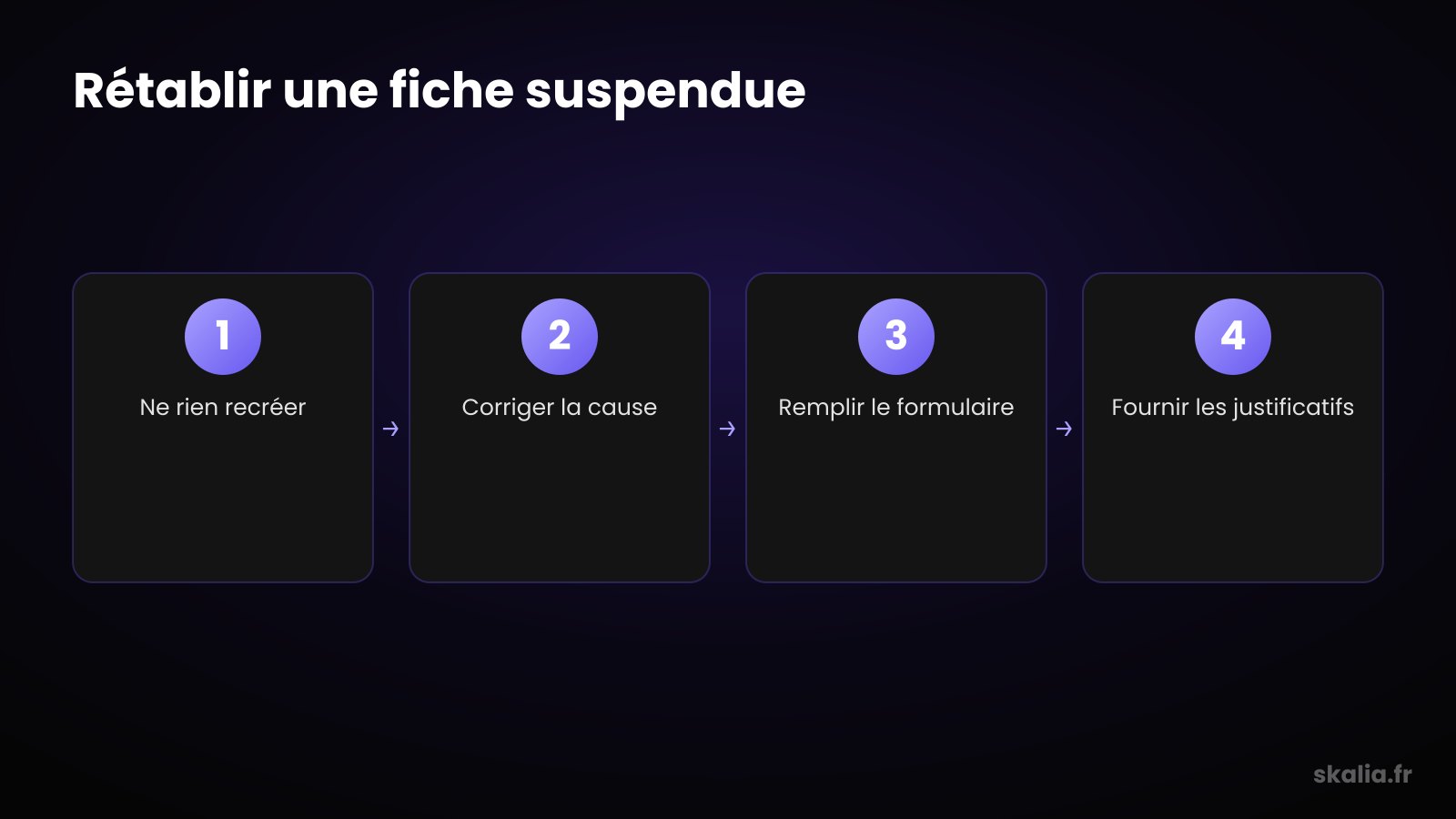
How does the reinstatement process work?
The process runs through an official reinstatement form, accessible from your Google Business Profile account or the help center. Once you've fixed the cause, you submit a single request. Google reviews it manually in most confirmed suspension cases. The quality of your file makes all the difference.
Here are the steps to follow, in order. First, fix the violation(s) on your listing. Then log in and find the suspension banner, which contains a link to the form. Fill it out, clearly explaining your business and confirming your compliance.
Prepare your supporting documents ahead of time. Google often asks for proof of physical existence: business registration documents, a recent utility bill at the address, photos of the storefront and interior, a professional license for regulated industries. A complete, coherent file speeds up approval.
As for timing, expect anywhere from 3 days to 3 weeks. A "soft" suspension resolves quickly. A "hard" suspension or a sensitive industry requires more checks. Submit only one request and wait for the answer: multiple follow-ups slow down processing.
What should you absolutely NOT do?
Never recreate a new listing to get around a suspension: it's the most serious and most common mistake. Google links duplicates back to your business and your account. Creating a second listing often turns a temporary suspension into a lasting ban, one that's far harder to lift.
Avoid these counterproductive reflexes too. Don't keep editing your listing during the review — it resets the process. Don't submit ten reinstatement requests back to back. Don't put the non-compliant info back once you're unblocked — re-suspension would be immediate and harsher.
Finally, don't fall for providers who promise a "guaranteed 24-hour" unblock for a fee. Nobody controls Google's timelines. A clean fix plus a solid file remain the only reliable method. To understand the stakes, see why the Google local pack depends on a healthy, active listing.
How do you avoid getting suspended again?
Prevention comes down to one simple rule: keep your information accurate, verifiable, and stable over time. Most re-suspensions come from repeated risky habits. A properly maintained listing flies under the radar of enforcement algorithms and gains lasting local visibility.
Apply these best practices day to day. Keep the exact legal name, with no keyword or city added. Align address, phone, and hours with your other online profiles. Choose honest categories. Post regularly, reply to reviews, and never buy any.
Space out sensitive changes and document every major edit. If you're moving or changing your name, update one field at a time over a few days. To start off on solid footing from day one, follow our guide to creating a Google Business Profile listing.
FAQ
How long does it take to recover a suspended listing?
Expect 3 days to 3 weeks depending on severity. A "soft" suspension is often lifted within a few days. A "hard" suspension or a sensitive industry requires more manual review. A complete file from the first request significantly speeds up processing.
Will I lose my reviews and photos after a suspension?
No, in the vast majority of cases. Your reviews, photos, and stats are kept during the suspension and reappear once reinstated. This is exactly why you should never recreate a listing: you'd lose all that history built up over the years.
Can I appeal more than once if my request is denied?
Yes, but only after fixing the reason for the denial. Resubmitting the same request without any change leads to the same outcome. Analyze the reason, adjust your listing and your documents, then submit a stronger new file. One request at a time, never in a rapid burst.
Can an agency unblock my listing for me?
An agency can diagnose the cause, fix your listing, and build a credible reinstatement file. However, no provider can "guarantee" an unblock — timelines depend on Google. Be wary of promises of results in 24 hours for a fee; that's a scam signal.
Need help recovering your listing?
A suspended listing isn't the end — it's a technical problem you can fix with the right method. Identify the cause, actually fix it, put together a clean file, and let Google do its job. Patience and compliance always beat shortcuts. If you're stuck or the suspension keeps coming back, let's talk: check out our local SEO & Google Business Profile service to diagnose, unblock, and permanently secure your local visibility.